

Share access to the files and folders of your computers with remote users. Select a storage space and assign to it the status of a shared environment. Import and export files, create copies, add access restrictions by generating a six-digit access code for every login session.
In order to share large amounts of data with friends, family, and fellow workers we need specific tools capable of packing and sending securely files that usually exceed the size of standard e-mailboxes. Send Anywhere has been devised as a simple and free solution to send and receive bulky files and archives instantly and without compressing or transforming your data in any way.
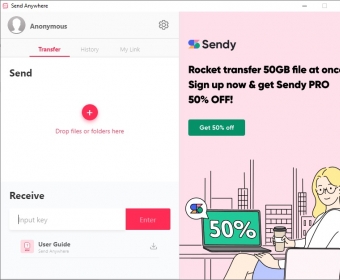
The program’s interface somehow mirrors the functionality and simplicity of the online version. Everything happens in one single window, where you can drop off or select via the File Explorer the files you wish to send. Send Anywhere will then provide you with a 6-digit key (also available as a QR code) and a link. Both will allow the intended recipient to get access to your files.
The former will be valid for 10 minutes and can only be used once. Thus, when using this key, we assume that the recipient is online and waiting for the key that they will need to type in or paste into the “Receive” box in the program’s interface in order to get the files. As a compensation for all the rush, there is no limit in the size of the files you can send using this method. more






Comments (1)